Transforming Photos with the Geometric Sketch Photoshop Action
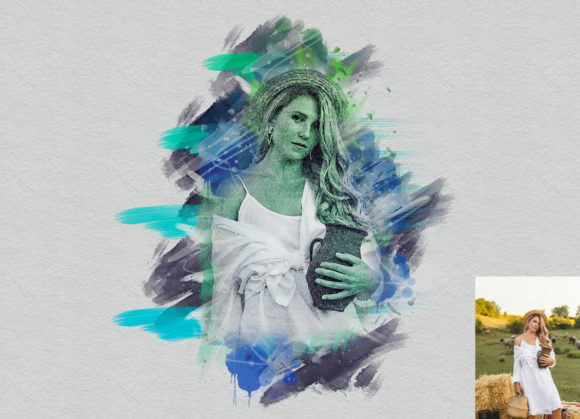
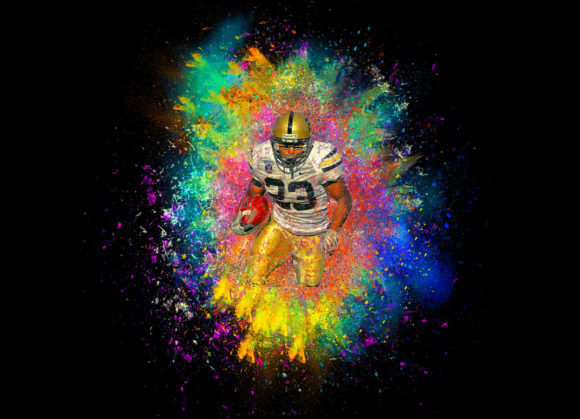
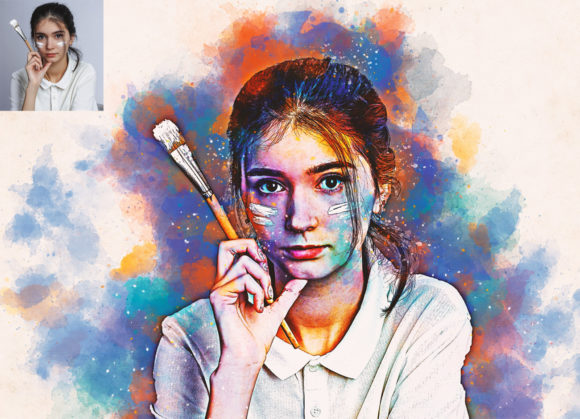
In the evolving landscape of digital art and graphic design, the demand for unique visual styles that bridge the gap between photography and illustration continues to grow. Designers, marketers, and content creators are constantly seeking efficient ways to produce high-quality, stylized imagery without spending hours on manual vectorization or complex layering techniques. This is where specialized tools like the Geometric Sketch Photoshop Action come into play. Designed to transform standard photographs into striking geometric sketches, this tool offers a non-destructive, customizable workflow that appeals to both seasoned professionals and serious hobbyists.
The core appeal of this action lies in its ability to automate a notoriously time-consuming process. Creating a geometric low-poly or sketch effect manually requires meticulous selection, triangulation, and color matching. By leveraging an automated action, users can achieve consistent, high-quality results in a fraction of the time. However, understanding how to integrate this tool effectively into a professional workflow requires a clear grasp of its features, limitations, and optimal usage scenarios.
Understanding the Workflow and Compatibility
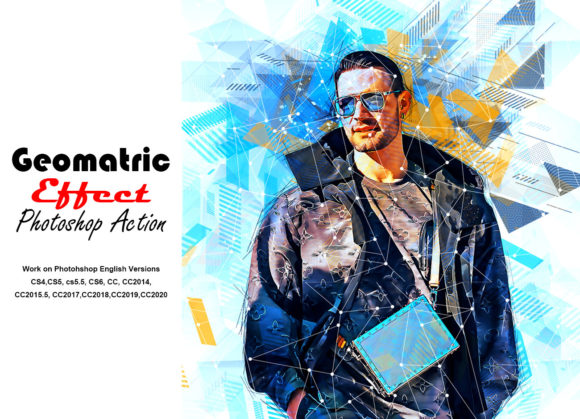
One of the first considerations for any digital asset is software compatibility. The Geometric Sketch Photoshop Action is built to support a wide range of Adobe Photoshop versions, ensuring accessibility for users who may not always be on the latest subscription tier. It is fully compatible with Photoshop CS4, CS5, CS5.5, CS6, and the Creative Cloud series, including CC, CC2014, CC2015.5, CC2017, CC2018, CC2019, and CC2020. The action was developed and tested primarily in the English version of Photoshop CC2020, which suggests that users should ideally operate within an English interface to avoid potential script errors related to layer naming conventions.
The workflow is designed to be non-destructive, a critical feature for professional editing. This means that the original image data remains intact, allowing for adjustments and reversals at any stage. The package includes several essential components: the ATN action file, custom brushes, patterns, a PDF "Read Me First" guide, and a help file. These resources ensure that users have everything needed to implement the effect correctly and troubleshoot common issues.
Key Features and Customization Options
The versatility of the Geometric Sketch Photoshop Action is evident in its customization capabilities. Upon installation and execution, users are presented with twenty different color options. This variety allows for significant creative freedom, enabling designers to match the output to specific brand guidelines, mood boards, or artistic visions. The ability to easily change brush colors further enhances this flexibility, making it suitable for diverse projects ranging from corporate presentations to social media content.
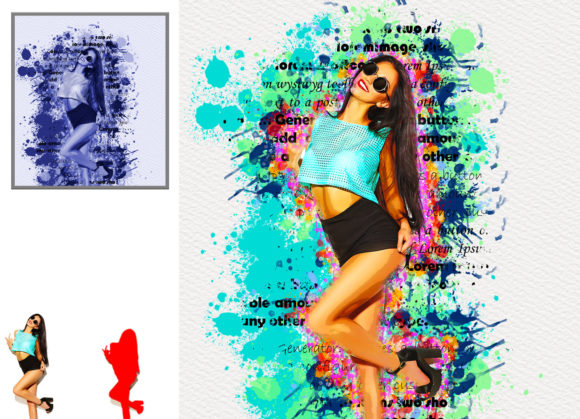
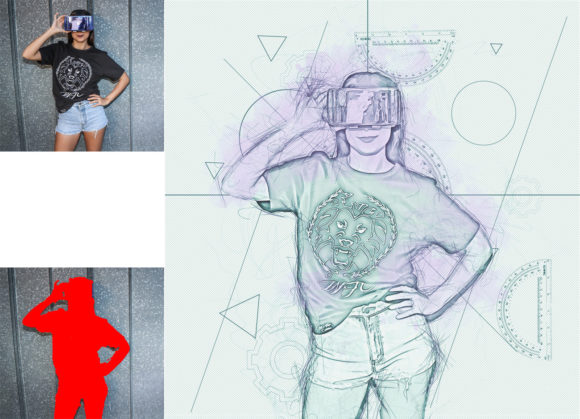
The action relies on a specific preparatory step that underscores the importance of following instructions precisely. To achieve the desired result, users must open their photo, create a new layer, and rename it “brush” in lowercase letters. Using a soft brush, the user paints over the areas of the image they wish to affect. Once this mask is created, the layer visibility is toggled off, and the background layer is selected before playing the action. This method ensures that the geometric effect is applied only where intended, providing control over the composition’s focal points.
Performance and Image Quality Considerations
For optimal performance, the resolution of the source image plays a pivotal role. The developers recommend using images with dimensions around 2000x3000 pixels. This resolution strikes a balance between detail retention and processing speed. Lower resolution images may result in pixelation or a loss of geometric definition, while excessively large files could slow down the action’s execution time, particularly on older hardware. High-quality results are contingent upon starting with a sharp, well-lit photograph with clear subject separation.
The consistency of the output is another strength of this tool. Because the action follows a predetermined algorithm, repeated applications on similar images yield uniform styles. This reliability is invaluable for creators producing series-based content, such as Instagram grids, blog headers, or marketing campaigns where visual coherence is essential. The geometric patterns generated are clean and precise, avoiding the messy artifacts that can sometimes occur with manual polygonal tracing.
Practical Applications for Professionals and Creators
The Geometric Sketch Photoshop Action serves a broad audience, including marketers, bloggers, educators, and small business owners. For marketers, the tool offers a quick way to create eye-catching visuals for ads and social media posts that stand out in crowded feeds. The geometric aesthetic is modern and tech-forward, making it particularly effective for industries related to technology, finance, and innovation.
Bloggers and publishers can use this action to create unique featured images that differentiate their content from competitors. Instead of relying on stock photography that may look generic, they can transform ordinary photos into distinctive artistic pieces. Educators and presenters might find value in using these stylized images to simplify complex visual information, as the geometric abstraction can help highlight key elements without the distraction of photographic realism.
Freelancers and graphic designers can also benefit by incorporating this action into their service offerings. It allows them to deliver high-end stylistic effects to clients more efficiently, potentially increasing throughput and profitability. However, it is important to note that while the action automates the technical process, creative direction still requires human input. Selecting the right source image, choosing appropriate color palettes, and refining the brush mask are steps that demand an artistic eye.
Limitations and Best Practices
While the Geometric Sketch Photoshop Action is a powerful tool, it is not a one-click solution for every scenario. Users should be aware that preview images are not included in the download, meaning there is no visual catalog of every possible outcome before purchase. This necessitates a willingness to experiment and test the action with various images to understand its full potential.
Additionally, the requirement to rename layers and follow specific steps means that users must be attentive to detail. Skipping steps or incorrect naming can lead to errors or subpar results. It is advisable to read the included PDF and help files thoroughly before beginning. Furthermore, while the action supports many Photoshop versions, users on very old systems (such as CS4) may experience slower processing times compared to those on newer CC versions.
To maximize the effectiveness of the tool, consider the following best practices:
- Choose High-Contrast Images: Photos with clear subjects and distinct backgrounds tend to produce cleaner geometric shapes.
- Experiment with Brush Strokes: The density and placement of the brush strokes on the "brush" layer directly influence the final geometric pattern. Sparse strokes may yield a minimalist look, while dense coverage creates a more detailed effect.
- Adjust Colors Post-Action: Since the workflow is non-destructive, feel free to tweak hue, saturation, and brightness levels after the action has run to better suit your project’s needs.
- Backup Original Files: Always keep a copy of the original photo to ensure you can restart the process if needed.
Final Thoughts on Value and Usability
The Geometric Sketch Photoshop Action represents a practical investment for anyone looking to streamline their creative workflow while maintaining high visual standards. Its non-destructive nature, combined with extensive customization options and broad software compatibility, makes it a versatile addition to any designer’s toolkit. While it requires adherence to specific instructions and thoughtful image selection, the time saved and the quality of the output justify the learning curve.
For professionals seeking efficiency without sacrificing creativity, this action provides a reliable method to produce sophisticated geometric art. Whether used for commercial projects, personal portfolios, or educational materials, it empowers users to transform ordinary photos into compelling visual statements. By understanding its capabilities and limitations, creators can leverage this tool to enhance their digital presence and deliver impactful designs with greater ease.