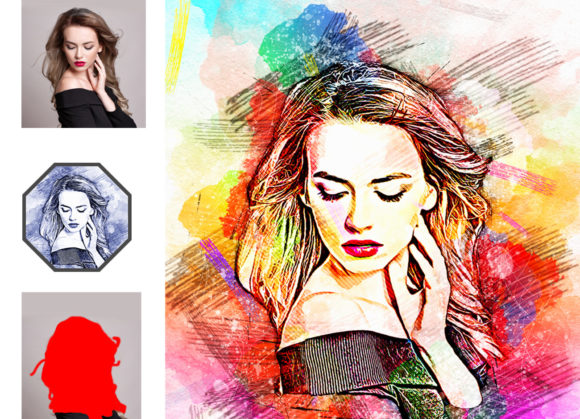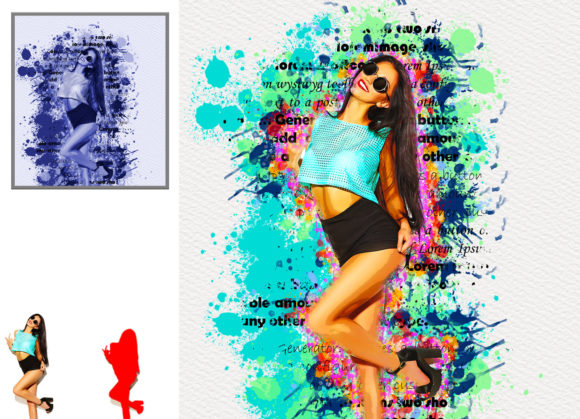
Transforming Digital Photography with an Artistic Watercolor Photoshop Action
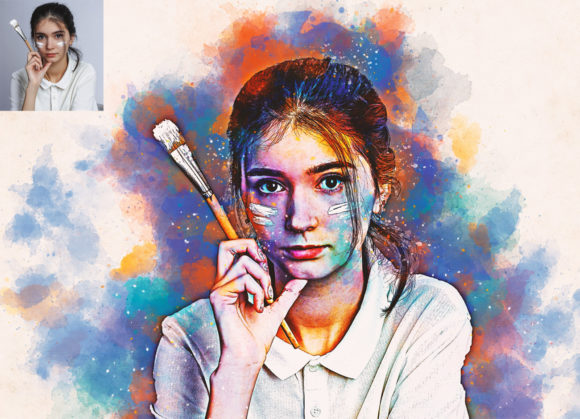
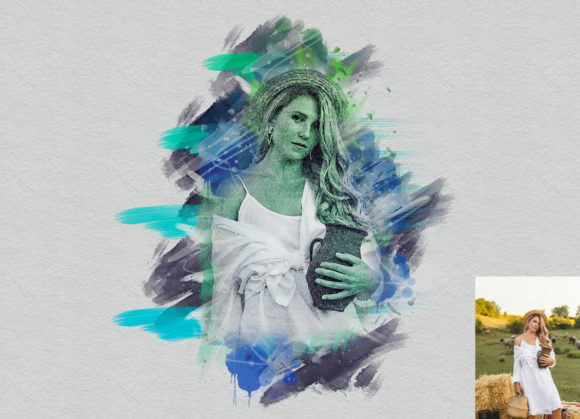
In the evolving landscape of digital art and photography, the boundary between a captured moment and a painted masterpiece has become increasingly fluid. For photographers, graphic designers, and digital artists, the ability to replicate traditional media within a digital workspace offers unparalleled creative freedom. Among the most sought-after effects is the watercolor aesthetic, known for its softness, transparency, and organic texture. Achieving this look manually requires significant skill and time, but modern tools have streamlined the process. An Artistic Watercolor Photoshop Action serves as a powerful bridge, allowing users to transform standard photographs into realistic watercolor paintings with precision and ease.
The Mechanics of Digital Watercolor Conversion
Understanding how these automated tools function is essential for leveraging them effectively. Unlike simple filters that apply a uniform overlay, a sophisticated action utilizes a non-destructive workflow. This means the original image data remains intact, allowing for endless adjustments without quality loss. The process typically involves complex layer masks, blending modes, and custom brush dynamics that mimic the behavior of water on paper. When you employ an Artistic Watercolor Photoshop Action, the software analyzes the luminance and color values of your photo, applying textures and strokes that correspond to the underlying details.
The core advantage of this technology lies in its customizability. While the initial transformation is automated, the true artistic value emerges during the refinement phase. Users are not locked into a single outcome. Instead, they are provided with a framework that encourages experimentation. For instance, the ability to modify brush colors and intensities ensures that each output is unique. This level of control is crucial for professionals who need to match specific brand aesthetics or personal artistic visions. The action does not replace the artist; rather, it amplifies their capability to produce high-quality results efficiently.
Workflow Integration and Technical Requirements
Integrating this tool into your existing creative pipeline requires attention to detail, particularly regarding file preparation and software compatibility. The action is designed to work seamlessly across a wide range of Adobe Photoshop versions, ensuring accessibility for both legacy users and those on the cutting edge. Supported versions include CS4, CS5, CS5.5, CS6, and the entire Creative Cloud suite from CC2014 through CC2020. This broad compatibility ensures that regardless of your hardware constraints or software preferences, you can utilize the tool effectively.
To achieve optimal results, specific procedural steps must be followed. The workflow begins with selecting a high-resolution source image. It is recommended to use images with dimensions around 2000x3000 pixels. This resolution provides enough detail for the action to generate intricate brush strokes and textures without appearing pixelated or blurry. Once the image is open, the user must create a new layer and rename it "brush" in lowercase. This naming convention is critical, as the action scripts are programmed to recognize this specific layer name to apply the effects correctly.
After renaming the layer, the user selects a soft brush and paints over the areas of the image they wish to transform. This step acts as a mask, telling the action where to apply the watercolor effect. Once the brushing is complete, the eye icon for the brush layer is closed, but the layer selection remains active. Clicking the play button on the action panel initiates the transformation. This methodical approach ensures that the effect is applied precisely where intended, offering a level of spatial control that global filters cannot match.
Customization Options and Creative Flexibility
One of the standout features of this particular Artistic Watercolor Photoshop Action is its extensive customization options. Upon execution, the action reveals ten different color options within an unviewed eye layer group. This variety allows users to experiment with different moods and palettes instantly. Whether aiming for a warm, sunset-inspired glow or a cool, melancholic tone, the pre-set color variations provide a solid starting point for further refinement.
The ability to change brush colors easily further enhances this flexibility. Artists can adjust the hue, saturation, and brightness of the generated strokes to harmonize with the original photograph or to create a stylized, abstract interpretation. This non-destructive nature means that if a chosen color palette does not resonate with the final vision, it can be altered or discarded without affecting the underlying image. This iterative process is vital for creative exploration, allowing users to test multiple concepts rapidly.
Additionally, the package includes essential resources such as ATN files, custom brushes, patterns, and comprehensive documentation. The inclusion of a PDF "Read Me First" file and a help guide ensures that even users new to Photoshop actions can navigate the setup process with confidence. These resources demystify the technical aspects, focusing the user’s energy on the creative outcome rather than troubleshooting software errors.
Applications Across Industries and Disciplines
The versatility of watercolor effects extends far beyond personal hobbyist projects. In the commercial sector, this aesthetic is highly valued for its ability to evoke emotion and nostalgia. Marketing campaigns often utilize watercolor-style imagery to convey softness, elegance, or organic qualities, making it ideal for brands in the beauty, wellness, and lifestyle industries. By using an Artistic Watercolor Photoshop Action, marketing teams can produce consistent, high-quality visuals that align with their brand identity without the prohibitive costs of commissioning hand-painted illustrations.
Educators and researchers also find value in these tools. In academic presentations or educational materials, watercolor effects can be used to soften complex diagrams or highlight specific elements in a visually engaging way. The artistic rendering can make dense information more approachable and memorable for students. Similarly, authors and publishers may use these actions to create unique cover art or interior illustrations for books, adding a distinctive touch that sets their work apart in a crowded market.
For wedding and portrait photographers, offering watercolor-edited images as part of a premium package can significantly enhance client satisfaction. The romantic and timeless quality of watercolor complements portrait photography beautifully, providing clients with artistic keepsakes that differ from standard digital prints. This differentiation can serve as a competitive advantage, allowing photographers to expand their service offerings and appeal to a broader clientele.
Considerations for High-Quality Results
While the technology is robust, achieving professional-grade results requires an understanding of its limitations and best practices. The quality of the output is inherently linked to the quality of the input. Images with poor lighting, low contrast, or excessive noise may not translate well into the watercolor format. Therefore, pre-processing the photo to enhance clarity and balance exposure is recommended before applying the action.
Furthermore, the "brush" layer technique requires a steady hand and an artistic eye. The areas painted with the soft brush determine the intensity and spread of the watercolor effect. Over-brushing can lead to a loss of detail, while under-brushing may result in a patchy appearance. Practicing this step on various types of images helps users develop an intuition for how much coverage is needed for different subjects, such as landscapes, portraits, or still life.
It is also important to note that preview images are typically not included in the download package, meaning users must rely on their own testing to gauge the potential outcomes. This encourages a hands-on approach to learning, fostering a deeper understanding of the tool’s capabilities. By experimenting with different photos and settings, users can discover unique combinations that suit their specific needs.
Conclusion: Embracing Digital Artistry
The Artistic Watercolor Photoshop Action represents a significant advancement in digital image processing, offering a blend of automation and creative control. By simplifying the complex process of replicating watercolor textures, it empowers users across various disciplines to explore new artistic avenues. Whether for commercial design, personal expression, or educational purposes, this tool provides a reliable and efficient means to transform ordinary photos into extraordinary works of art. With its non-destructive workflow, extensive compatibility, and rich customization options, it stands as an invaluable resource for anyone looking to enhance their digital creative toolkit.