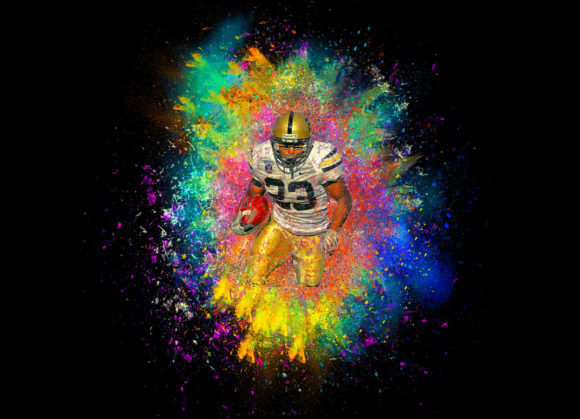
Color Explosion Photoshop Action: Transforming Ordinary Photos into Vibrant Art
Visual impact is the currency of the digital age. Whether you are scrolling through social media feeds, browsing an online portfolio, or designing a marketing campaign, the images that stop you in your tracks are rarely the ones that look exactly like reality. They are the ones that evoke emotion, energy, and movement. This is where the Color Explosion Photoshop Action comes into play. It is not just a filter; it is a transformative tool designed to turn standard photography into extraordinary visual statements. By leveraging this professional pack, photographers and designers can achieve a dynamic, high-energy aesthetic that would otherwise take hours to create manually.
Bridging the Gap Between Photography and Digital Art
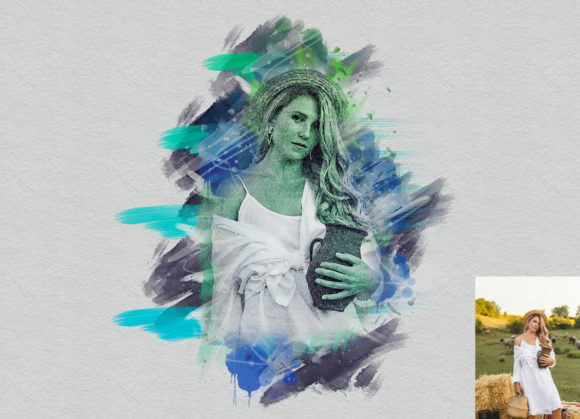
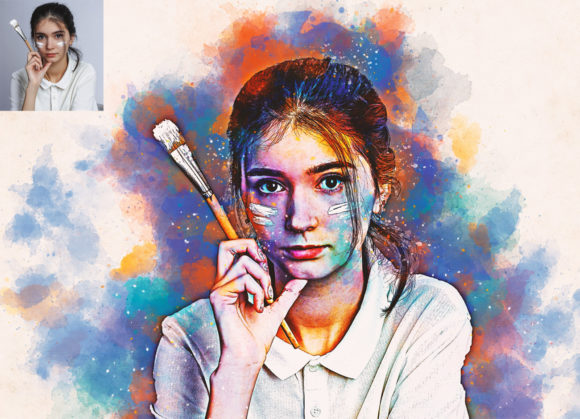
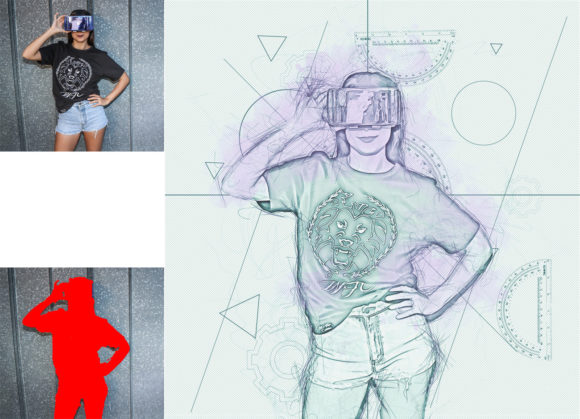
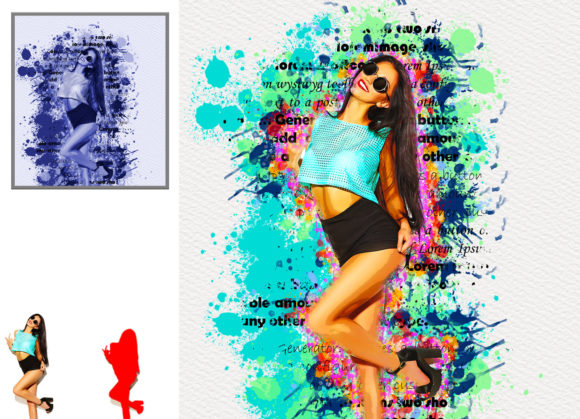
The primary appeal of the Color Explosion Photoshop Action lies in its ability to blur the lines between traditional photography and digital painting. In many creative industries, there is a growing demand for imagery that feels "hyper-real" or artistically enhanced. A standard portrait or product shot, while technically perfect, can sometimes feel flat or uninspiring. This action introduces a burst of color and texture that mimics the look of watercolor splashes, paint droplets, or vibrant light leaks, all centered around the subject.
For creative professionals, this means the difference between a stock-photo look and a bespoke artistic creation. The effect is non-destructive, which is a critical feature for any serious workflow. Because the action builds the effect using layers and masks, you retain full control over the intensity, placement, and color palette. You are not stuck with a preset outcome; instead, you are given a robust foundation that you can customize to fit the specific mood of your project.
Real-World Applications Across Industries
Understanding where this tool fits into your workflow is key to maximizing its value. The versatility of the Color Explosion Photoshop Action makes it suitable for a wide range of scenarios, from commercial advertising to personal artistic expression.
Fashion and Beauty Portraiture
In the fashion industry, editors are constantly looking for ways to make models stand out. A beauty shot enhanced with a color explosion effect can emphasize the vibrancy of makeup or the texture of clothing. For example, if a model is wearing a bright red lipstick, the action can be used to generate red and complementary color splashes that frame the face, drawing the viewer’s eye directly to the product. It adds a sense of motion and drama that static images often lack, making it ideal for magazine covers, lookbooks, and high-end beauty campaigns.
Music and Event Promotion
Concert posters, album covers, and festival promotions thrive on energy. The chaotic yet controlled nature of the color explosion effect mirrors the intensity of live music. Designers can take a simple photo of a musician or a crowd and apply the action to create a psychedelic, high-energy backdrop. This visual style resonates with audiences expecting excitement and loudness, effectively communicating the vibe of an event before a single ticket is sold. The ability to customize brushes allows designers to match the specific genre—using sharper, aggressive strokes for rock or softer, flowing bursts for indie or electronic music.
Sports and Action Photography
While sports photography captures motion, the Color Explosion Photoshop Action can exaggerate it. Imagine a basketball player mid-dunk or a soccer player striking a ball. By applying the effect, you can add trails of color that follow the trajectory of the movement, emphasizing speed and power. This technique is particularly popular in social media graphics for sports teams and athletes, where standout visuals are essential for engagement. It transforms a frozen moment into a narrative of kinetic energy.
Product Advertising
For consumer goods, especially those related to freshness, cleanliness, or vitality, this action can be a game-changer. Beverage companies often use splash effects to suggest refreshment. Instead of relying solely on complex 3D rendering or expensive liquid simulation shoots, designers can use this action to add vibrant, colorful bursts around a bottle or can. It creates an immediate association with flavor and intensity, making the product appear more appealing and dynamic on shelf displays or digital ads.
Technical Considerations for Optimal Results
To get the most out of the Color Explosion Photoshop Action, it is important to understand the technical prerequisites. This is not a one-click solution that works equally well on every file without preparation. The quality of the output is directly related to the quality of the input and the care taken during the setup process.
Canvas Preparation is Key
One of the most common mistakes users make is skipping the canvas extension step. For the effect to look natural, the color bursts need space to expand beyond the edges of the original photo. If the subject is too close to the edge, the explosion will look clipped and artificial. Therefore, it is essential to extract your canvas area first. Using the crop tool, extend all sides of the background image to provide ample negative space. This ensures that the watercolor-style brushes have room to breathe and create a balanced composition.
Resolution and Dimensions
High-resolution output is non-negotiable for professional work. The action is optimized for images resized to 3000x2000px or 2000x3000px at 300 DPI. Working at lower resolutions may result in pixelated brushes or a loss of detail in the finer splatter effects. Ensuring your document meets these specifications before running the action will guarantee crisp, print-ready results.
The Importance of the "Paint" Layer
The core mechanism of this action relies on user input via a specific layer named “paint” (in lowercase). This step is where you define where the explosion originates. By selecting a brush and painting over the subject area on this layer, you are essentially telling the software where to anchor the effects. It is crucial to close the eye of the paint layer before playing the action, but keep the layer selected. This tells the action to read the transparency and shape of your brushstrokes without displaying the raw paint itself.
Navigating the Workflow and Customization
Once the action is initiated, users will encounter a stop message that requires active participation. This interactive element is what allows for such high levels of customization. The prompt will ask you to set the foreground color to white (#ffffff) and select specific Color Explosion Brushes. The recommended brushes, such as exb 10, 13, 19, 25, and 26, are designed to create varied textures, from fine mist to heavy droplets.
This stage is where creativity takes the wheel. You are encouraged to brush mostly over the subject area, but also to experiment with different watercolor brushes to achieve unique looks. Do not feel constrained by the defaults. If you want a softer, more ethereal look, choose a diffuse brush. For a harder, more impactful explosion, select a brush with sharper edges. After applying these brushstrokes, clicking the play button again completes the process, generating the layered effect based on your input.
Software Compatibility and Accessibility
Accessibility is a major strength of this tool. The Color Explosion Photoshop Action is compatible with a wide range of Adobe Photoshop versions, including CS4, CS5, CS5.5, CS6, and the Creative Cloud series from CC2014 through CC2020. This broad support means that freelancers working with older hardware or agencies with standardized legacy systems can still utilize this modern effect. The English version interface ensures clear instructions, and the inclusion of a PDF help file provides additional guidance for those who prefer detailed documentation.
However, users should be aware that while the action is easy to customize, it does require a basic understanding of Photoshop layers and brush tools. It is not fully automated in the sense that it requires thoughtful input during the "paint" and "stop message" phases. But this slight learning curve is outweighed by the flexibility it offers. You are not just applying a filter; you are co-creating the image with the software.
In conclusion, the Color Explosion Photoshop Action is a powerful resource for anyone looking to elevate their visual content. By combining technical precision with artistic freedom, it allows users to create stunning, high-impact images that capture attention and convey energy. Whether for commercial clients or personal projects, mastering this tool can significantly enhance your creative toolkit.