Evaluating the Mixed Art Photoshop Action for Creative Photo Editing
In the evolving landscape of digital photography and graphic design, the demand for unique, stylized imagery continues to grow. Photographers and designers often seek efficient methods to transform standard photographs into artistic compositions without spending hours on manual painting or complex layering techniques. One tool that has gained attention in this niche is the Mixed Art Photoshop Action. This automated script is designed to apply a "Mixed Art" aesthetic to images, blending photographic realism with painterly textures. For individuals evaluating whether this tool aligns with their workflow, understanding its capabilities, technical requirements, and practical limitations is essential.
Understanding the Mixed Art Aesthetic
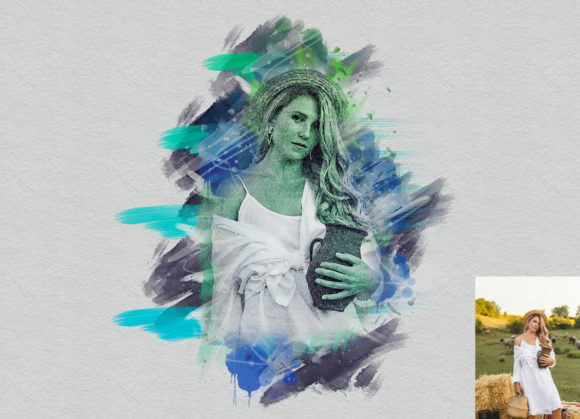
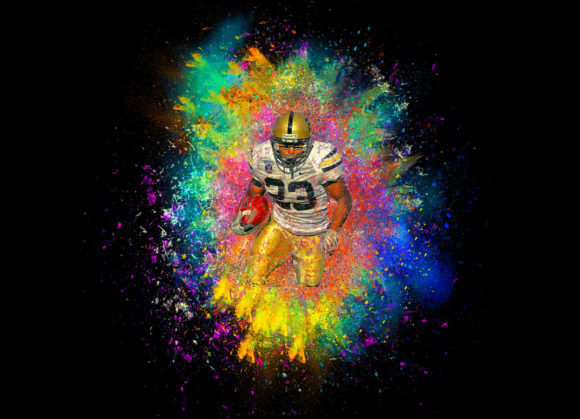
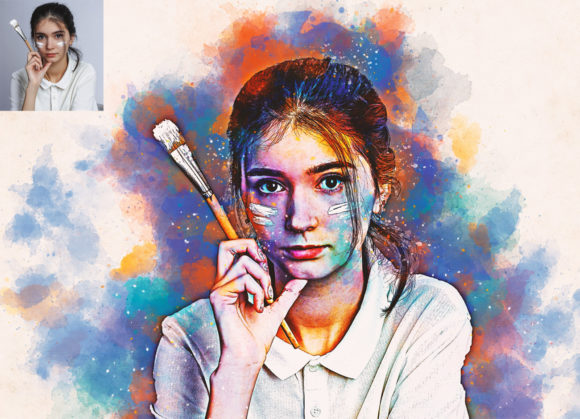
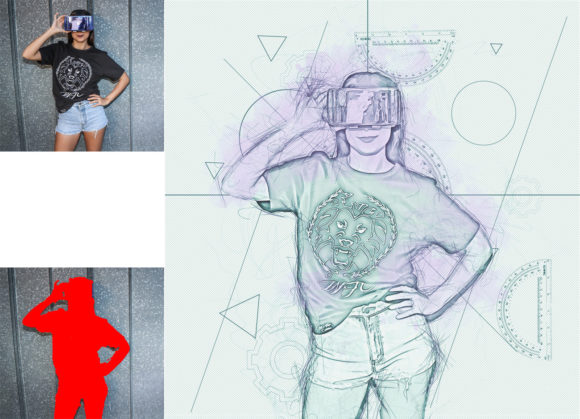
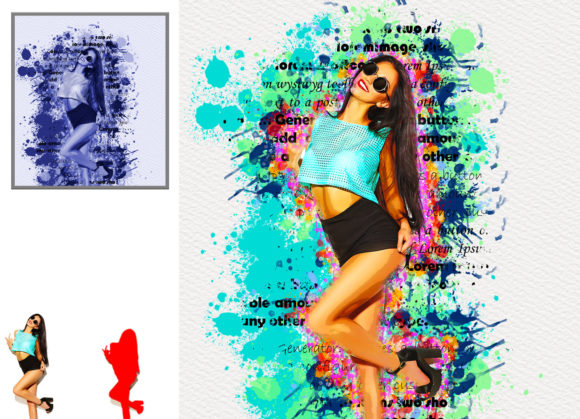
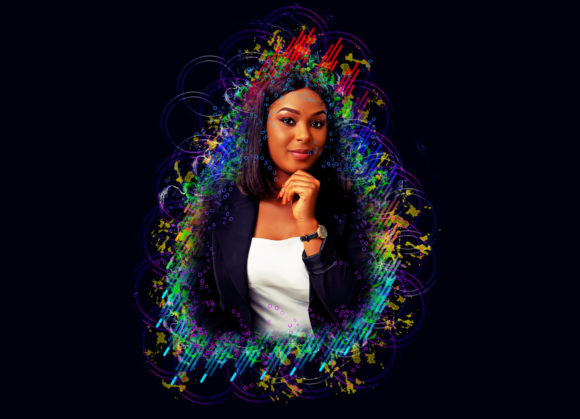
The term "Mixed Art" in this context refers to a visual style that combines elements of traditional media—such as oil paint, watercolor, or charcoal—with digital photography. The Mixed Art Photoshop Action aims to replicate this look by applying non-destructive effects that alter texture, color saturation, and brushstroke simulation. Rather than permanently altering pixel data, the action utilizes adjustment layers and smart objects, allowing users to tweak parameters after the effect has been applied. This non-destructive approach is a significant advantage for professionals who require flexibility during the editing process.
The primary appeal of this tool lies in its ability to convert ordinary photos into extraordinary images with minimal manual effort. By automating complex blending modes and filter applications, it reduces the time required to achieve a hand-painted look. However, it is important to recognize that while the action provides a strong foundation, the final quality often depends on the user’s input and the source image’s characteristics.
Technical Compatibility and System Requirements
Before integrating any new asset into a professional workflow, compatibility is a critical consideration. The Mixed Art Photoshop Action is developed to work across a wide range of Adobe Photoshop versions. It supports legacy software including CS4, CS5, CS5.5, and CS6, as well as modern Creative Cloud iterations such as CC, CC2014, CC2015.5, CC2017, CC2018, CC2019, and CC2020. This broad support ensures that users with older hardware or specific software preferences can still utilize the tool effectively.
It is noteworthy that the action is optimized for the English version of Photoshop. Users operating other language versions may encounter issues with layer naming conventions, which are crucial for the action’s scripts to function correctly. Additionally, the creator specifies that their working environment is CC2020, suggesting that while backward compatibility exists, the most stable performance may be experienced in newer versions of the software.
Workflow and Customization Process
The effectiveness of the Mixed Art Photoshop Action relies heavily on proper preparation and execution. The package includes five different actions, offering variety in stylistic output. However, achieving high-quality results requires adhering to specific preparatory steps outlined in the included PDF help file.
First, canvas preparation is vital. Users are instructed to extract the canvas area by selecting the background image and using the crop tool to extend all sides. This step ensures that the artistic effects have sufficient space to blend naturally at the edges, preventing abrupt cuts or unnatural borders. Following this, resizing the image to specific dimensions—typically 3000x2000px or 2000x3000px at 300 DPI—is recommended. These resolutions provide enough pixel density for the brush textures to appear detailed rather than pixelated.
A unique feature of this action is the requirement for user interaction during the process. Users must create a new layer named “paint” (in lowercase) and manually apply brush strokes over the image. This step allows for customization of the artistic direction, as the action uses this layer to determine where and how the mixed media effects are applied. Once the painting layer is prepared, the user hides the layer visibility, keeps it selected, and plays the action. This hybrid approach—combining automation with manual input—offers a balance between speed and creative control.
Benefits and Practical Advantages
One of the strongest arguments for adopting the Mixed Art Photoshop Action is its ease of customization. The inclusion of brush files allows users to adjust colors and stroke styles easily, ensuring that the final output matches their specific artistic vision. The organized layer structure generated by the action makes it simple to isolate and modify individual elements, such as opacity, blending modes, or color balances.
Furthermore, the non-destructive nature of the effect means that edits can be reversed or refined at any stage. This is particularly beneficial for commercial projects where client feedback may require significant changes. The action’s ability to work on various photo types—from portraits to landscapes—adds to its versatility, making it a useful addition to a designer’s toolkit for diverse projects.
Considerations and Potential Limitations
While the Mixed Art Photoshop Action offers significant time savings, it is not a one-click solution for perfect results. The necessity of manual painting on the “paint” layer means that users must possess basic digital painting skills or at least an understanding of how brush strokes influence the final composition. Those expecting fully automated results without any input may find the learning curve steeper than anticipated.
Additionally, the requirement to resize images to specific dimensions may disrupt workflows that rely on batch processing or variable aspect ratios. Users working with large volumes of images may need to invest time in pre-processing each file to meet the 3000x2000px or 2000x3000px specification. Moreover, while the action supports many Photoshop versions, performance may vary depending on system resources, particularly when handling high-resolution files with multiple complex layers.
When to Use This Action vs. Alternatives
The Mixed Art Photoshop Action is an ideal choice for photographers and designers who want to introduce a painterly aesthetic to their work without mastering advanced digital painting techniques from scratch. It is particularly suitable for creating social media content, artistic prints, or conceptual designs where a stylized look is desired. If your goal is to produce consistent, high-quality mixed media effects with moderate customization, this tool provides a structured and efficient pathway.
However, if you require complete artistic freedom or need to process hundreds of images with identical settings automatically, manual painting or specialized AI-driven art generators might be more appropriate alternatives. AI tools can offer faster, fully automated transformations, though they often lack the nuanced control provided by the layer-based approach of this Photoshop action. Conversely, traditional manual painting offers ultimate control but demands significantly more time and skill.
Final Verdict
The Mixed Art Photoshop Action represents a practical compromise between automation and creative control. By providing a structured framework for creating mixed media art, it empowers users to achieve professional-looking results with manageable effort. Its compatibility with a wide range of Photoshop versions and its non-destructive workflow make it a reliable option for many digital artists. However, success with this tool depends on willingness to engage with the preparatory steps, particularly the manual painting phase. For those ready to invest a small amount of time in learning the workflow, this action can significantly enhance their creative capabilities and streamline the production of stylized imagery.