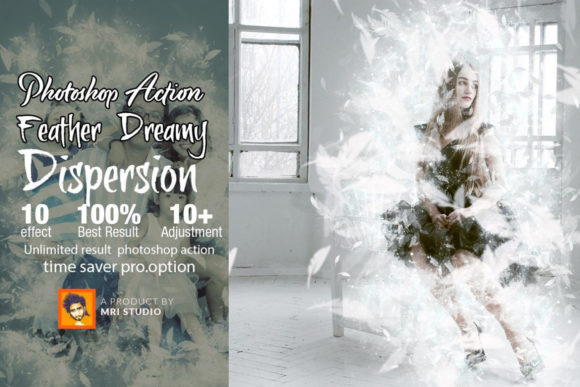
Feather Dreamy Dispersion Action Guide
Transforming a standard photograph into a piece of ethereal, watercolor-inspired art used to require hours of manual masking, layer blending, and advanced digital painting skills. Today, tools like the Feather Dreamy Dispersion Action have democratized this high-end aesthetic, allowing creators to achieve professional-grade results with a single click. This Photoshop action is not merely a filter; it is a sophisticated automation script designed to disperse elements of your image into delicate, feather-like particles, creating a sense of movement and dreamlike softness that resonates deeply with modern audiences.
For designers, marketers, and content creators, the appeal lies in the balance between efficiency and artistic control. The action generates a complex structure of layers, each named and organized into groups, ensuring that you retain full editorial control over the final output. Whether you are crafting social media graphics, enhancing portfolio pieces, or developing unique brand assets, this tool offers a streamlined workflow that respects your time while elevating your visual identity.
Understanding the Visual Appeal and Workflow
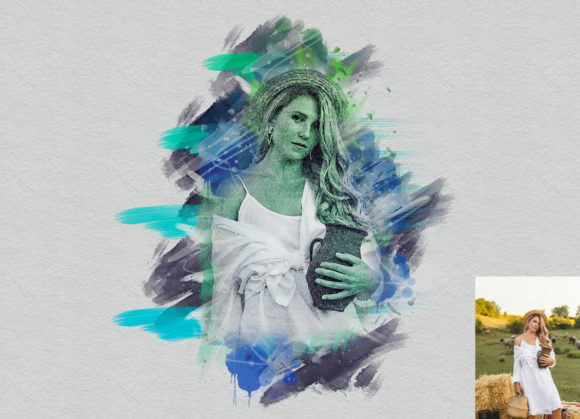
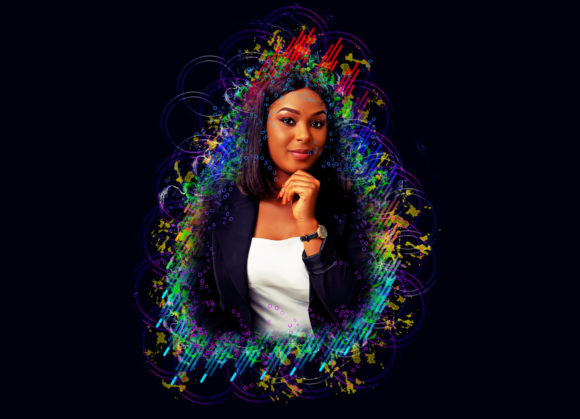
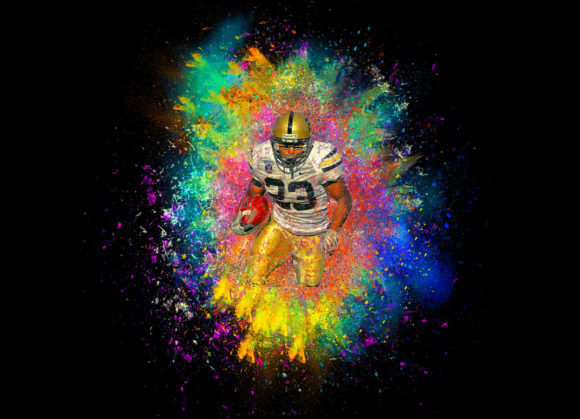
The core strength of the Feather Dreamy Dispersion Action is its ability to mimic natural dispersion effects often seen in high-concept editorial design and contemporary digital art. Unlike harsh pixelation or generic blur effects, this action creates a organic transition where subjects appear to dissolve into the background through soft, feathered edges. This visual characteristic adds a layer of sophistication and mystery to images, making them stand out in crowded digital feeds.
From a technical perspective, the action is built for compatibility and ease of use. It supports a wide range of Adobe Photoshop versions, including CS4, CS5.5, CS6, and the entire Creative Cloud suite from CC2015.5 through CC2021. This broad support ensures that whether you are working on a legacy system or the latest hardware, the tool integrates seamlessly into your existing workflow. For users operating non-English versions of Photoshop, a simple switch to the English language interface ensures the action runs without errors, highlighting the developer’s attention to global accessibility.
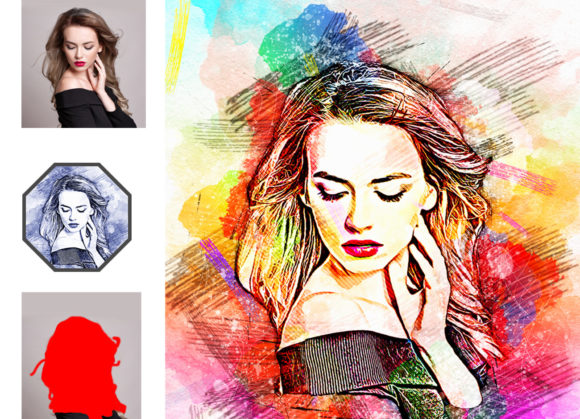
The "one-click" nature of the tool does not mean a lack of customization. On the contrary, once the action is executed, it reveals a structured layer panel. Each element of the dispersion effect is separated, allowing you to adjust opacity, blending modes, and positions. This level of granularity is crucial for professional brand identity work, where precise alignment with brand guidelines is non-negotiable. You can tweak the intensity of the dispersion to match the mood of your project, whether you need a subtle hint of movement or a dramatic, sweeping effect.
Strategic Applications in Branding and Marketing
In the realm of marketing and branding, visual consistency and distinctiveness are paramount. The Feather Dreamy Dispersion Action serves as a powerful asset for creating cohesive design assets that capture attention. Consider its application in social media graphics. Platforms like Instagram and Pinterest thrive on visually striking content that stops the scroll. An image featuring a product or model with a dreamy dispersion effect conveys creativity and modernity, helping brands position themselves as innovative and artistically aware.
For web design and landing pages, this effect can be used to create dynamic hero sections. By applying the dispersion effect to key visual elements, designers can guide the user’s eye and create a sense of depth and interaction. This technique enhances visual hierarchy, drawing attention to primary calls to action or featured products without relying on intrusive overlays or heavy text. The soft, watercolor-style aesthetic also contributes to a calming user experience, which can positively influence audience engagement and time on site.
In packaging design and print media, the action’s output can be integrated into mockups to showcase product concepts with a unique artistic flair. While the action itself is digital, the resulting images can inform physical design choices, such as texture selection and color palettes. The natural color retouching capabilities embedded within the action ensure that the dispersed elements maintain harmonious tones with the original image, preserving the integrity of the commercial font and typography used alongside the visuals. This holistic approach ensures that all elements of the design, from type to image, work in concert to reinforce the brand message.
Maximizing Value and Ensuring Professional Results
One of the most compelling aspects of acquiring the Feather Dreamy Dispersion Action is the long-term value it provides. The current pricing structure reflects a limited-time offer, with indications that prices will increase in the future. More importantly, purchasing now grants access to future updates at no additional cost. In the rapidly evolving landscape of digital design tools, this "lifetime update" model is significant. It means that as Photoshop introduces new features or rendering engines, the action can be optimized to leverage these improvements, ensuring your toolkit remains current without recurring subscription fees for the asset itself.
For those concerned about technical skill requirements, the action is designed to be accessible to users of all levels. No advanced knowledge of Photoshop scripting or digital painting is necessary. The inclusion of bonus files, such as specialized brushes, further expands the creative possibilities. These brushes can be used to manually refine the dispersion effect or add additional artistic touches, providing a bridge between automated efficiency and hand-crafted detail. This combination makes the tool suitable for both hobbyists looking to enhance personal projects and professional designers managing tight deadlines.
When evaluating this tool for your studio or freelance practice, consider the versatility it adds to your creative font and typography pairings. The soft, organic nature of the dispersion effect pairs exceptionally well with clean sans serif font choices for a modern look, or elegant script font options for a more romantic, editorial feel. Testing these combinations in your specific project context is essential. Use the editable layers to experiment with different opacities and blending modes to see how the effect interacts with your chosen typeface and layout.
Ultimately, the Feather Dreamy Dispersion Action is more than a shortcut; it is a strategic resource for enhancing visual storytelling. By integrating this tool into your workflow, you gain the ability to produce high-quality, distinctive imagery that supports your logo design, editorial design, and broader marketing efforts. The emphasis on editable layers and comprehensive compatibility ensures that the results are not just quick, but also professional and adaptable. As digital trends continue to favor authentic, artistic expressions over sterile perfection, having a reliable method to create dreamy, dispersed visuals becomes a valuable asset in any designer’s arsenal. Take advantage of the current pricing and update policy to secure this tool, ensuring you are equipped to meet the demands of modern visual communication with confidence and creativity.