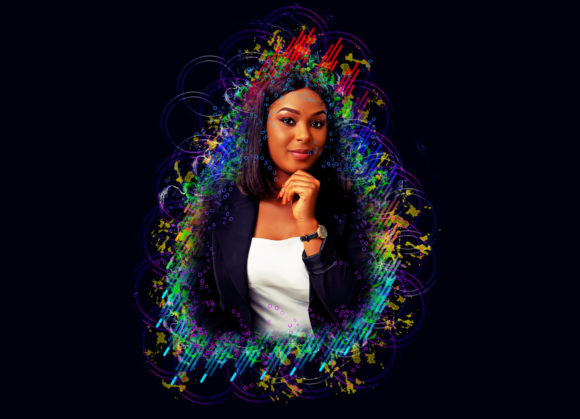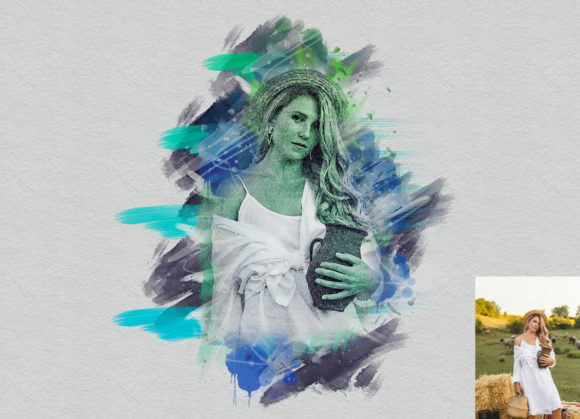
Transforming Ordinary Photos with a Grunge Art Photoshop Action
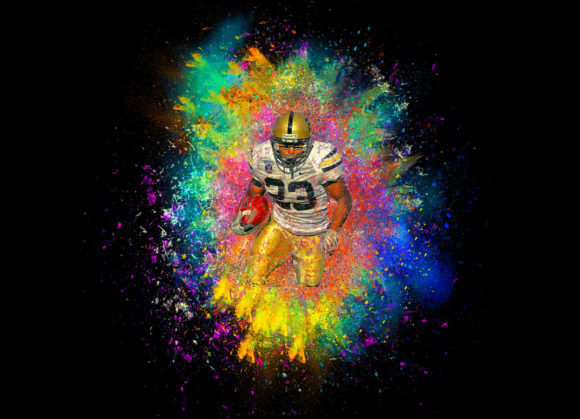
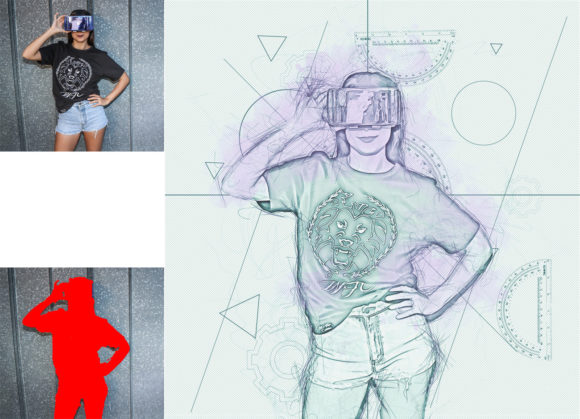
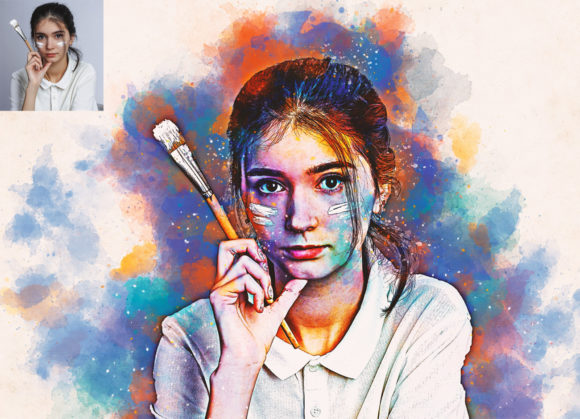
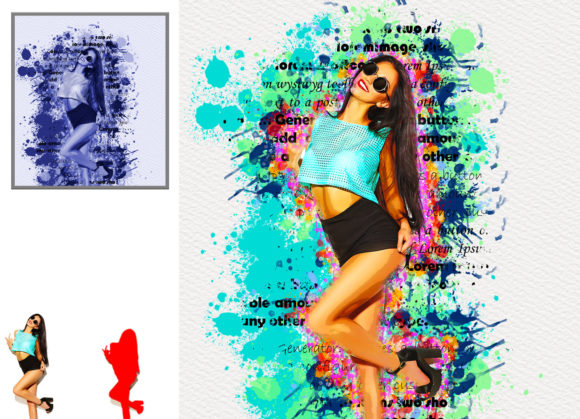
Digital photography has reached a point of saturation where clean, crisp, and perfectly exposed images are the norm rather than the exception. While technical perfection is admirable, it often lacks the emotional texture that draws a viewer in. This is where the aesthetic of decay, wear, and raw expression—commonly known as grunge—becomes a powerful tool for visual storytelling. Utilizing a Grunge Art Photoshop Action allows creators to bypass hours of manual layering and masking, instantly injecting character and depth into standard photographs. It is not merely about applying a filter; it is about transforming ordinary photos into extraordinary images that resonate with a sense of history and grit.
The Power of Non-Destructive Editing
One of the most significant advantages of using a professional pack like this is the non-destructive nature of the workflow. In traditional photo editing, applying heavy textures or distress effects can permanently alter pixel data, making it difficult to revert changes or adjust intensity later. A well-coded action preserves the integrity of the original image. This means you can experiment freely, testing twenty different color options or varying brush strokes without fear of ruining the source file. For professionals who need to present multiple variations to a client, this flexibility is invaluable. You can toggle layers on and off, adjust opacity, and fine-tune the balance between the original photo and the grunge overlay, ensuring the final result feels organic rather than forced.
Real-World Applications Across Industries
The utility of a Grunge Art Photoshop Action extends far beyond personal hobby projects. Various industries leverage this aesthetic to communicate specific brand values or emotional tones.
- Music and Entertainment: Album covers, concert posters, and promotional materials for rock, punk, or indie artists often rely on grunge aesthetics to convey rebellion and authenticity. The rough edges and distressed textures mirror the raw energy of the music.
- Fashion and Apparel: Streetwear brands frequently use grunge-style imagery in their lookbooks and social media campaigns. Applying these effects to model shots can create an urban, edgy vibe that appeals to younger demographics seeking alternatives to polished mainstream fashion.
- Advertising and Marketing: In a feed full of sterile, high-gloss advertisements, a grunge-styled image stops the scroll. It suggests durability, ruggedness, or vintage charm, which can be particularly effective for products like leather goods, boots, or artisanal foods.
- Personal Branding: Creatives, photographers, and designers often use grunge elements in their portfolio headers or business cards to distinguish their style as bold and unconventional.
Preparing Your Canvas for Optimal Results
While the action itself is designed to be easy to install and use, the quality of the output depends heavily on the preparation of your source image. Many users make the mistake of running the action on a cropped, tight composition, only to find that the grunge elements feel cramped or unnatural at the edges. To achieve a professional look, it is crucial to extract your canvas area properly. This involves selecting your background image and using the crop tool to extend all sides, creating negative space around the subject. This breathing room allows the grunge textures, splatters, and brushes to interact with the frame naturally, mimicking the look of a printed poster or a worn photograph.
Resolution also plays a critical role. For high-quality results, especially if the final image will be printed or viewed on high-density screens, resizing your images to dimensions such as 3000x2000px or 2000x3000px at 300 DPI is recommended. This ensures that the textures remain sharp and detailed rather than becoming pixelated or blurry. The action is compatible with a wide range of software versions, from CS4 up to CC2020, making it accessible to users regardless of whether they are on older legacy systems or the latest creative cloud updates.
Customization and Creative Control
A common misconception about automated actions is that they produce uniform, cookie-cutter results. However, this particular pack is built for customization. It includes twenty different color options, allowing you to match the grunge effect to the mood of your photograph or your brand’s color palette. Whether you need a monochromatic, noir-inspired look or a vibrant, chaotic splash of colors, the variety ensures versatility. Furthermore, the ability to change brush colors and adjustments easily means you are not locked into a single style. You can paint on a dedicated layer, named “paint” in lowercase as per the instructions, to guide where the heaviest distressing occurs. This level of control transforms the action from a simple preset into a collaborative tool that responds to your artistic intent.
Navigating Common Considerations
Before integrating a Grunge Art Photoshop Action into your workflow, it is important to consider the context of your image. Grunge aesthetics work best when they complement the subject matter. A serene landscape or a corporate headshot might clash with heavy distressing unless applied with extreme subtlety. The goal is enhancement, not obstruction. Users should also be mindful of layer organization. The pack includes organized layers, which is a significant benefit for troubleshooting. If a specific texture feels too dominant, you can isolate that layer and reduce its opacity or change its blending mode. Understanding how blending modes interact with the underlying photo is key to mastering the effect.
Additionally, while the action supports English versions of Photoshop from CS4 to CC2020, users with non-English interfaces may need to ensure their layer names match the action’s expectations, particularly the “paint” layer. Following the included PDF help file is essential for a smooth experience, as it provides step-by-step guidance on installation and execution. The inclusion of brush files and pattern files further expands the creative possibilities, allowing you to add custom details beyond the pre-set actions.
Why Choose a Professional Pack?
There are countless free presets available online, but they often lack the refinement and reliability of a professional pack. Free actions may leave behind messy layer structures, fail to work on certain image sizes, or produce artifacts that degrade image quality. A professional Grunge Art Photoshop Action is tested across multiple scenarios to ensure consistent, high-quality results. The time saved by not having to manually create grunge effects from scratch—scanning textures, creating masks, adjusting levels—can be redirected toward more creative aspects of the project. For freelancers and agencies, this efficiency translates directly into higher productivity and profitability.
Ultimately, the value of this tool lies in its ability to bridge the gap between technical skill and artistic vision. You do not need to be a master of digital painting to achieve a complex, layered grunge look. The action handles the heavy lifting, allowing you to focus on composition, color theory, and narrative. By providing a robust foundation of textures, colors, and brushes, it empowers users to experiment and iterate quickly. Whether you are designing a gig poster, enhancing a portrait, or creating social media content, this tool offers a reliable pathway to achieving a distinct, eye-catching aesthetic that stands out in a crowded digital landscape.