How to Create a Seamless Tie-Dye Pattern in Photoshop
The resurgence of tie-dye is no longer just a nostalgic nod to the 1960s or a fleeting summer trend. In the modern digital landscape, it has evolved into a sophisticated design element used across branding, web design, and product manufacturing. For creators, marketers, and entrepreneurs, understanding how to create a seamless tie-dye pattern in Photoshop offers a distinct competitive advantage. It allows for the production of unique, organic textures that break the monotony of flat, corporate minimalism while maintaining professional polish.
Digital tie-dye bridges the gap between handmade authenticity and scalable efficiency. Unlike traditional fabric dyeing, which involves chemicals, water usage, and unpredictable results, digital creation provides total control over color palettes, repeat accuracy, and resolution. This shift reflects a broader change in creative workflows where speed and versatility are paramount. Whether you are designing for home decor, custom apparel, or social media assets, mastering this technique enables you to produce high-quality visuals without the logistical hurdles of physical production.
The Shift Toward Organic Digital Textures
User expectations in visual media have shifted significantly. Audiences today crave authenticity and warmth, even in digital spaces. The sterile, perfect geometry of early web design has given way to more fluid, human-centric aesthetics. Tie-dye patterns, with their swirling, irregular lines and blended gradients, satisfy this desire for organic movement. They add depth and interest to backgrounds, packaging, and textiles without overwhelming the primary content.
This trend is not limited to fashion. Interior design brands are increasingly using digital prints for wallpapers and upholstery, requiring seamless patterns that can tile infinitely without visible breaks. Similarly, digital marketers use these textures to create engaging social media posts that stand out in crowded feeds. By learning to create your very first digital tie-dye pattern with tie-dye Photoshop brushes, you align your skill set with current market preferences that value both creativity and technical precision.
Why Seamless Patterns Matter in Modern Workflows
A seamless pattern is one that can be repeated horizontally and vertically without any visible seams or interruptions. This technical requirement is crucial for several practical applications:
- Textile Printing: For t-shirts, scarves, and home decor items, the design must tile perfectly to ensure consistency across large rolls of fabric.
- Web and App Backgrounds: Seamless textures allow for lightweight background images that load quickly and adapt to various screen sizes without distortion.
- Packaging Design: Consistent patterns on boxes and wrappers enhance brand recognition and aesthetic appeal.
Creating these patterns manually in traditional art forms is labor-intensive and prone to error. Photoshop, however, offers tools like the Offset filter and smart objects that streamline the process. When combined with specialized brushes, the software empowers users to experiment rapidly, adjusting colors and shapes until the desired effect is achieved.
Step-by-Step Guidance for Digital Creation
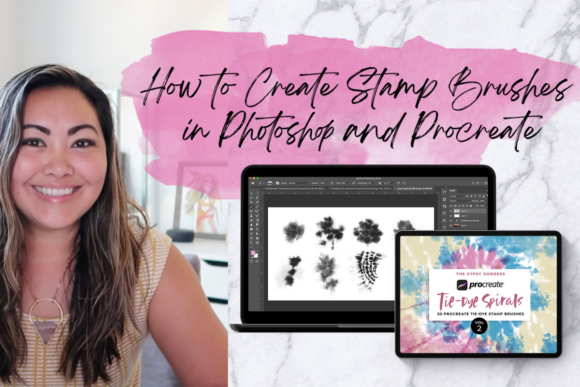
For those new to this technique, the process can seem daunting. However, with structured guidance, it becomes an accessible and enjoyable creative exercise. Instructional approaches, such as those led by experts like Diane, emphasize a step-by-step methodology that demystifies the technical aspects. This guided learning ensures that whether you are taking this class for fun or to learn how to make digital tie-dye designs, you build a solid foundation.
The core of the process involves layering. You begin with a base canvas, often square to facilitate easy tiling. Using tie-dye Photoshop brushes, you apply swirls, splatters, and blends. These brushes mimic the behavior of liquid dye on fabric, providing realistic diffusion and edge softness. The key is to work non-destructively, using separate layers for different colors and elements. This allows for easy adjustments to opacity, blending modes, and position.
Once the initial design is laid out, the critical step is ensuring seamlessness. This typically involves using the Offset filter to shift the image by half its width and height. Any gaps or harsh lines that appear at the edges are then painted over or blended using the same brushes. This iterative process of checking and refining ensures that the final pattern tiles perfectly. Diane’s approach includes lots of suggestions and techniques to handle these tricky areas, helping students avoid common pitfalls like visible repetition or unnatural color transitions.
Tools and Techniques for Realistic Results
Achieving a realistic tie-dye look requires more than just random brush strokes. Understanding how light and color interact is essential. Here are some practical recommendations for enhancing your digital tie-dye designs:
- Use Blending Modes: Experiment with modes like Multiply, Screen, and Overlay to create depth and interaction between color layers. This mimics the way dyes bleed into each other on fabric.
- Vary Brush Opacity: Real dye is not uniform. Varying the opacity of your brush strokes adds natural variation and prevents the design from looking too digital or artificial.
- Incorporate Noise: Adding a subtle amount of noise or grain can break up smooth gradients, giving the texture a more tactile, printed feel.
- Limit Your Palette: While it is tempting to use every color, restricting your palette to two or three complementary hues often results in a more cohesive and professional design.
These techniques are not just theoretical; they are practical skills that translate directly to better outcomes in real-world projects. By mastering them, you gain the ability to produce designs that look handcrafted yet maintain the precision required for commercial use.
Practical Applications Across Industries
The versatility of digital tie-dye patterns means they can be applied across a wide range of industries and mediums. For entrepreneurs and small business owners, this opens up new avenues for product development. Custom t-shirts, tote bags, and phone cases featuring unique tie-dye designs can be produced on demand using print-on-demand services, eliminating the need for inventory.
In the realm of digital marketing, these patterns serve as eye-catching backgrounds for blogs, websites, and social media campaigns. They can be used to highlight special promotions, create seasonal themes, or simply add visual interest to text-heavy content. For educators and content creators, incorporating these designs into presentations and materials can make information more engaging and memorable.
Furthermore, the skills learned in creating these patterns are transferable. The understanding of layers, blending, and seamless tiling applies to other types of texture creation, such as watercolor effects, marble patterns, or abstract gradients. This makes the investment in learning how to create a seamless tie-dye pattern in Photoshop valuable beyond just one specific style.
Adapting to Changing Consumer Preferences
Consumers are increasingly drawn to products that tell a story or evoke an emotion. Tie-dye, with its associations with creativity, freedom, and individuality, resonates with this desire. By incorporating these designs into your offerings, you connect with audiences on a deeper level. However, it is important to stay attuned to evolving trends. While bold, rainbow colors were popular in recent years, there is a growing preference for muted, earthy tones and pastel palettes. Being able to quickly adapt your digital files to reflect these shifts is a significant advantage of working digitally.
Additionally, sustainability is a growing concern for many consumers. Digital design reduces waste associated with physical prototyping. By perfecting designs on screen before printing, you minimize material usage and ensure that only high-quality, approved designs go into production. This aligns with broader industry moves toward more sustainable and efficient practices.
Achieving Your Creative Goals
Mastering digital tie-dye is not just about learning a software trick; it is about expanding your creative vocabulary. It empowers you to bring unique visions to life without being limited by physical constraints. Whether you are a freelancer looking to diversify your portfolio, a marketer aiming to refresh your brand’s visual identity, or a hobbyist exploring new artistic outlets, this skill offers tangible benefits.
With the right guidance and practice, the learning curve is manageable. Step-by-step instruction provides the structure needed to build confidence. As you experiment with different brushes, colors, and techniques, you will develop a personal style that sets your work apart. It is only a matter of time before you will be able to achieve your goals, producing professional-grade patterns that captivate audiences and drive engagement.
The journey from novice to proficient creator is supported by resources that offer detailed suggestions and techniques. By leveraging these tools, you can create patterns for home decor, items, t-shirts, social media, blogs, and websites with ease. The flexibility of digital design means you can iterate quickly, respond to feedback, and stay ahead of trends. In a fast-paced creative economy, this agility is invaluable.
Ultimately, the ability to create your very first digital tie-dye pattern with tie-dye Photoshop brushes is a gateway to broader creative possibilities. It combines artistic expression with technical skill, resulting in work that is both beautiful and functional. As you continue to refine your craft, you will find that these patterns are not just decorative elements but powerful tools for communication and connection in the digital age.