Unlocking Creative Flow: A Guide to Procreate Color Palettes for Anime Art
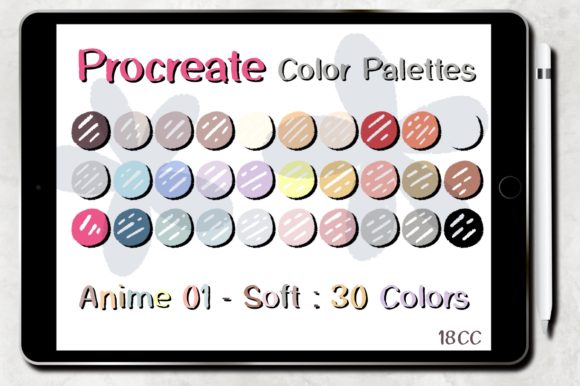
In the rapidly evolving world of digital illustration, efficiency is just as crucial as artistic talent. For artists specializing in anime and manga styles, color selection can often become a bottleneck in the creative process. This is where specialized tools like the Procreate Color Palettes Anime 01 set come into play. Designed specifically for the modern digital artist, this resource offers a streamlined approach to coloring, allowing creators to focus more on composition and storytelling rather than getting lost in the endless wheel of hue selection.
Understanding how to leverage pre-made color sets can transform your workflow, saving valuable time and ensuring visual consistency across your projects. Whether you are a beginner picking up an Apple Pencil for the first time or an experienced illustrator looking to refine your pipeline, integrating curated palettes into your routine is a game-changer.
The Importance of Curated Color in Digital Art
Color theory is a fundamental pillar of visual art. It dictates mood, directs the viewer’s eye, and establishes harmony within an image. However, applying color theory from scratch for every new piece can be mentally exhausting. This phenomenon, often referred to as "decision fatigue," can stall creativity before the actual drawing even begins.
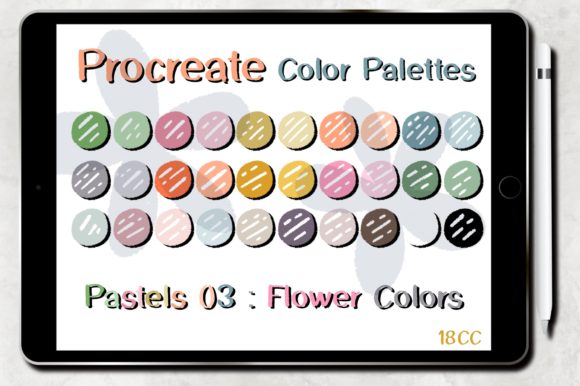
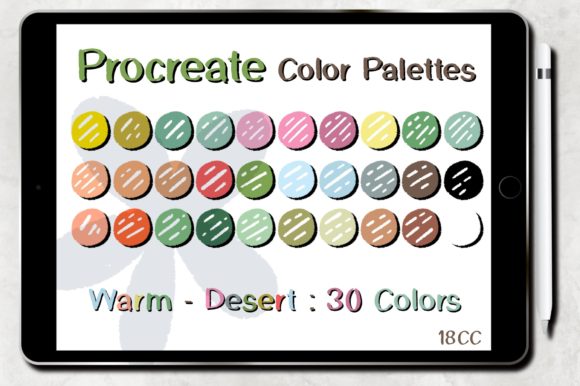
A soft, colorful set of colors like the Anime 01 collection addresses this challenge by providing a pre-harmonized range of tones. These palettes are not random; they are carefully constructed to ensure that every shade complements the others. For anime art, which often relies on vibrant yet balanced aesthetics, having a reliable starting point is invaluable. By using a dedicated palette, you eliminate the guesswork involved in matching skin tones, hair highlights, and background elements.
Furthermore, consistent color usage helps in building a recognizable personal brand. Many successful digital artists maintain a specific "look" that fans associate with their work. Utilizing a consistent set of swatches contributes significantly to this stylistic coherence.
Why Choose the Anime 01 Palette Set?
The Procreate Color Palettes Anime 01 set is tailored for those who appreciate the distinct aesthetic of Japanese animation. Anime coloring often involves specific techniques, such as cel-shading and soft gradients, which require precise color values. This palette set includes 30 carefully selected colors that cater to these needs.
Here is why this specific set stands out:
- Instant Usability: The primary benefit is speed. Instead of spending twenty minutes tweaking sliders to find the right pink for a character’s blush, you can select it instantly from the palette.
- Harmonious Tones: The colors are designed to work together. This reduces the risk of clashing hues, which is a common mistake for beginners.
- Versatility: While labeled for anime, these soft, colorful tones are suitable for various design works, including character design, concept art, and even graphic design projects requiring a playful or gentle aesthetic.
Technical Requirements and Compatibility
Before diving into the installation process, it is essential to ensure that your hardware and software meet the necessary specifications. Digital art tools are only as good as the environment they run in. To use the Color Palettes set for Procreate Anime 01, you must have the following:
- iPad Pro or iPad: The Procreate application is exclusive to the Apple iOS ecosystem. While it runs on various iPad models, an iPad Pro offers the best performance for layer-heavy illustrations.
- Apple Pencil or Compatible Stylus: Precision is key in digital painting. A pressure-sensitive stylus allows for natural line weight variation and opacity control, which is crucial when applying colors from your new palette.
- Procreate Version 5.0 or Higher: This is a critical requirement. Older versions of the app may not support the latest file formats for swatches or may lack the interface features needed to import palettes seamlessly. Always ensure your app is updated via the App Store.
It is important to note that these brushes and palettes will work ONLY in the Procreate application. They are not compatible with Photoshop, Clip Studio Paint, or other desktop-based software. Additionally, please remember that no physical item will be shipped. This is a digital product, meaning you will receive immediate access to the files upon purchase, allowing you to start creating without waiting for delivery.
Step-by-Step Installation Guide
One of the most appealing aspects of digital assets is their ease of use. The developers of the Anime 01 palette set have prioritized user experience, ensuring that installation is straightforward. Follow these steps to integrate the palette into your workflow:
- Download and Unzip: After purchasing, you will receive a ZIP file. Locate this file in your downloads folder. On an iPad, you can use the "Files" app to unzip the archive. Tap on the ZIP file, and it will automatically extract the contents, revealing the
.swatchesfile. - Open in Procreate: Locate the extracted
.swatchesfile. Tap on it and select "Share" or "Open In." Choose Procreate from the list of available applications. This action triggers the automatic installation process. - Verify Installation: Open Procreate and create a new canvas. Tap on the color circle in the top right corner to open the color panel. Navigate to the "Palettes" tab. You should see the new Anime 01 set listed among your saved palettes.
- Start Creating: Select the palette, and you are ready to go. You can now pick colors directly from the 30-swatches set for your current project.
If you encounter any issues, ensure that your Procreate app is updated to the latest version. Sometimes, restarting the app after installation can help refresh the library view.
Maximizing Your Creative Potential
Having the tool is one thing; using it effectively is another. Here are some tips to get the most out of your Procreate Color Palettes Anime 01:
Experiment with Layer Modes: The colors in this set are designed to be versatile. Try using them with different layer blending modes such as "Multiply" for shadows or "Add" for glowing effects. The soft nature of the palette makes it particularly effective for creating atmospheric lighting.
Create Variations: While the 30 colors provide a solid foundation, do not be afraid to tweak them. Use the color picker to select a base tone from the palette, then adjust the saturation or brightness slightly to create custom variations for specific elements. This keeps your work fresh while maintaining the underlying harmony of the original set.
Study the Relationships: Take time to analyze why certain colors in the palette work well together. Notice how the highlight colors relate to the shadow tones. This observational learning can improve your innate understanding of color theory, making you a better artist even when you are not using a preset palette.
Common Misconceptions About Digital Palettes
Some artists hesitate to use pre-made palettes, fearing it might stifle their creativity or make their work look generic. This is a misunderstanding. Professional designers and illustrators frequently use color libraries to maintain efficiency and quality. Think of a palette as a toolbox, not a constraint. It provides the raw materials, but the way you apply them—your brush strokes, composition, and character design—remains uniquely yours.
Moreover, using a high-quality set like Anime 01 can actually enhance creativity by removing technical barriers. When you are not struggling to find the right shade of blue, you have more mental energy to devote to expression and narrative.
Conclusion
The Procreate Color Palettes Anime 01 set is more than just a collection of colors; it is a productivity tool designed to enhance your digital art journey. By offering a soft, colorful, and harmonious selection of 30 swatches, it allows artists to bypass the tedious aspects of color selection and dive straight into creation.
With easy installation, compatibility with modern iPad setups, and a design focused on saving time, this palette set is an excellent addition to any digital artist’s library. Whether you are illustrating your first anime character or designing complex backgrounds, these tools empower you to create with confidence and joy.
♥♥ Thank you for exploring the possibilities of digital color. Happy creating! ♥♥