Procreate Leaf & Flower Stamp Brush
Digital illustration often walks a fine line between technical precision and organic warmth. For creators who want to infuse their work with natural beauty without spending hours rendering every petal and vein, the Leave and Flower Stamp Brush Procreate set offers a transformative solution. This digital tool is not merely a shortcut; it is a creative catalyst designed to help artists, designers, and hobbyists build lush, detailed compositions with speed and consistency. By integrating hand-drawn leaves and flowers directly into your workflow, you can elevate simple sketches into professional-grade assets for stickers, wallpapers, branding, and more.
The Power of Hand-Drawn Digital Stamps
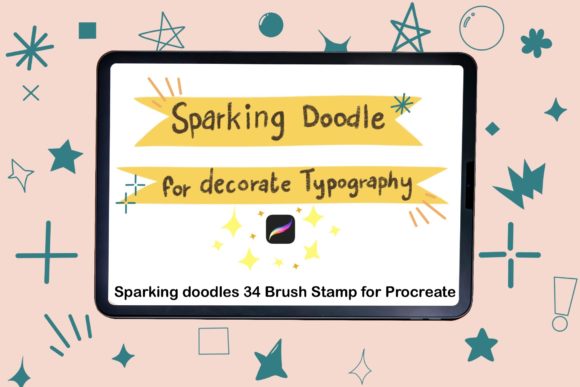
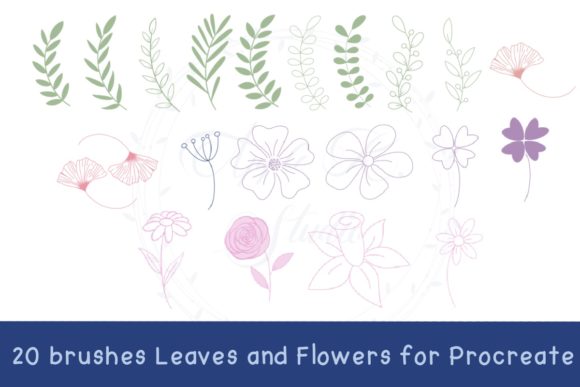
In the realm of digital art, "stamps" are sometimes misunderstood as rigid, repetitive clipart. However, this brush set redefines the concept by utilizing high-quality, hand-drawn elements that retain the imperfections and charm of traditional media. The Leave and Flower Stamp Brush for Procreate includes twenty distinct brushes, each offering unique shapes and textures. Because these are native Procreate brushes, they behave differently than static images. You can scale them, rotate them, adjust their opacity, and change their color to match your specific palette seamlessly.
The primary advantage here is efficiency. Creating intricate botanical illustrations from scratch requires a deep understanding of anatomy, light, and shadow. With these stamps, you bypass the initial structural heavy lifting. This allows you to focus on composition, color theory, and storytelling. Whether you are designing a wedding invitation suite or creating a series of educational worksheets, the ability to drag, drop, and customize floral elements saves valuable time while maintaining a high aesthetic standard.
Versatile Applications for Creators
The utility of this brush set extends far beyond simple decoration. Different professionals can leverage these tools to meet diverse project requirements. Here is how various users can adapt the Procreate Stamp Brush to their specific goals:
- Graphic Designers and Branding Experts: Use the leaf and flower stamps to create organic logos or brand marks for businesses in the wellness, beauty, or sustainability sectors. The hand-drawn quality adds a touch of authenticity and approachability that vector-perfect lines sometimes lack.
- Digital Product Sellers: If you create digital planners, journals, or printable wall art, these brushes are invaluable. You can quickly generate borders, dividers, and decorative corners that give your products a cohesive, artisanal look.
- Educators and Content Creators: Teachers designing worksheets or bloggers creating featured images can use these stamps to break up text and add visual interest. A simple leaf accent can make a biology worksheet feel more engaging or a lifestyle blog post feel more inviting.
- Illustrators and Hobbyists: For personal projects, these brushes allow for rapid experimentation. You can test out different floral arrangements for a larger piece without committing to drawing each element individually.
Achieving Natural Results with Digital Tools
While stamp brushes are efficient, the key to professional results lies in avoiding repetition. Nature is chaotic and varied; therefore, your digital arrangements should mimic this randomness. When using the hand drawing leave and hand drawing flower brushes, avoid placing them in perfect grids or uniform patterns. Instead, embrace asymmetry.
Start by varying the size of your stamps. Place a large, dominant flower as your focal point, then surround it with smaller buds and scattered leaves. Rotate each element slightly to create a sense of movement. Adjust the opacity of certain leaves to suggest depth, making some appear as if they are in the background while others sit in the foreground. This layering technique creates a three-dimensional feel on a two-dimensional screen.
Color customization is another critical aspect. Do not rely solely on the default black or green. Sample colors from your reference images or create a custom palette that reflects the mood of your piece. A muted, earthy tone might suit a vintage-style design, while vibrant pastels could work for a spring-themed sticker pack. The ability to recolor these stamps instantly allows for endless variation from a single set of brushes.
Technical Integration and Workflow
Understanding how to integrate these tools into your existing workflow is essential for maximizing their potential. This is a DIGITAL PRODUCT, meaning there is no physical shipment. Upon purchase, you receive an instant download containing a zip file. The process is straightforward but requires attention to detail to ensure smooth installation.
These brushes are compatible exclusively with the Procreate app on iPad. They will not function in Photoshop, Illustrator, or other desktop software. This specificity ensures that the brushes take full advantage of Procreate’s engine, providing responsive performance and intuitive controls. Before purchasing, ensure you have the Procreate app installed on your iPad, as this is a prerequisite for using the Leave and Flower Stamp Brush Procreate set.
Step-by-Step Installation Guide
Getting started is simple. Follow these steps to import your new brushes and begin creating:
- Download and Unzip: After purchasing, download the zip file to your iPad. Use the Files app to unzip the folder. You will see a folder containing the .brushset file.
- Locate the File: Open the folder and identify the downloaded .brushset file. This file contains all twenty leaf and flower brushes.
- Import to Procreate: Tap and hold the .brushset file with your finger or Apple Pencil. A menu will appear.
- Select Share: Choose “Share” from the menu options. If you do not immediately see Procreate, click on “More” to reveal additional apps.
- Open in Procreate: Scroll through the list and select “Open in Procreate.” The app will launch automatically, and the brushes will be installed in your brush library.
Once installed, you can find your new stamps in the brush panel. It is recommended to create a dedicated folder within Procreate for these brushes to keep your workspace organized. This makes it easier to access them during complex projects where you might be switching between sketching, inking, and stamping tools.
Designing for Consistency and Originality
One common concern with stamp brushes is the fear of looking generic. To maintain originality, combine these stamps with your own hand-drawn elements. Use the Procreate Stamp Brush for the complex floral details, but draw your own stems, vines, or background textures. This hybrid approach ensures that while the flowers are consistent, the overall composition remains unique to your style.
Additionally, consider the context of your audience. If you are designing for a children’s book, you might use brighter colors and simpler arrangements. For a corporate client, you might opt for monochromatic schemes and sparse, elegant placements. The flexibility of the Leave and Flower Stamp Brush for Procreate allows you to adapt the same assets to vastly different tones and messages.
Ultimately, this tool is about empowering your creativity. It removes the barrier of technical difficulty, allowing you to focus on the joy of creation. Whether you are building a digital sticker pack for sale, designing a heartfelt card for a friend, or developing a brand identity, these brushes provide the foundational elements you need to bring your vision to life. By mastering the balance between automation and artistic input, you can produce work that is both efficient and deeply personal.