Enhance Art with PW Procreate Glitter Bundle
Digital illustration has evolved from simple line work into a rich, textured medium that rivals traditional art forms. For artists using the iPad, the difference between a flat design and a captivating piece often lies in the details. Texture, light reflection, and material simulation are crucial elements that draw the viewer’s eye. This is where specialized tools become indispensable. The PW Procreate Glitter Brush Bundle offers a streamlined solution for creators looking to add sparkle, depth, and professional-grade shimmer to their digital artwork without the tedious process of manual texturing.
This resource is not merely a collection of static stamps; it is a curated set of dynamic tools designed to integrate seamlessly into your existing workflow. By understanding how these brushes function and where they fit best in your creative process, you can significantly elevate the quality of your output while reducing production time.
Streamlining the Texturing Workflow
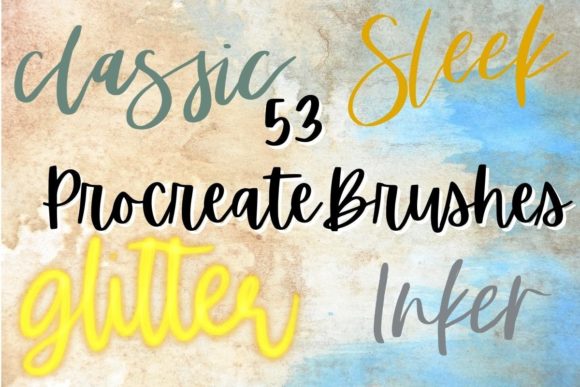
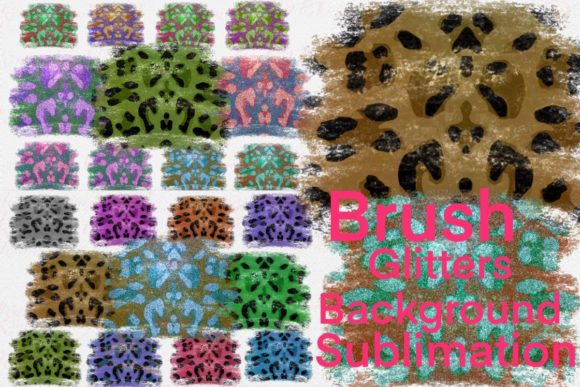
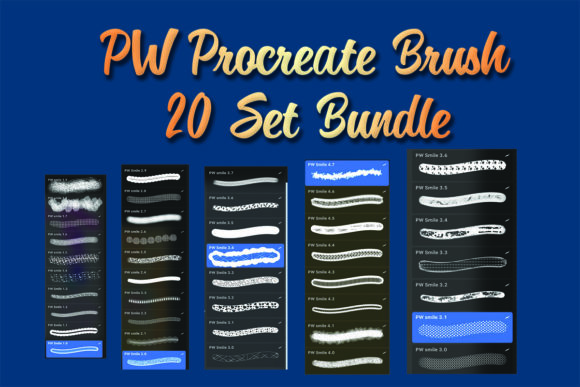
One of the most time-consuming aspects of digital painting is replicating complex natural phenomena like glitter, sequins, or metallic flakes. Traditionally, an artist might spend hours manually placing individual highlights or searching for seamless texture overlays that do not distort the underlying illustration. The PW Procreate Glitter Brush Bundle addresses this inefficiency directly. By providing twenty distinct sets of brushes, each containing between seven to ten variations, the bundle allows for rapid application of realistic sparkling effects.
Consider the workflow of a character designer working on a fantasy commission. Adding intricate details to a mage’s robe or a warrior’s armor requires consistent lighting and texture. Using standard round brushes to simulate glitter often results in a uniform, artificial look. In contrast, these specialized brushes introduce randomization in size, opacity, and scatter. This variability mimics the chaotic yet harmonious nature of real-world reflective particles. The result is a more organic appearance that enhances the believability of the piece, allowing the artist to focus on composition and color theory rather than micro-managing individual pixels.
Versatility Across Creative Industries
While illustrators are the primary users of such tools, the utility of the PW Procreate Glitter Brush Bundle extends far beyond fine art. Professionals in marketing, social media management, and graphic design frequently require eye-catching visuals that stand out in crowded digital feeds. A promotional graphic for a holiday sale, for instance, benefits immensely from subtle festive accents. Instead of relying on generic stock elements that may clash with brand colors, designers can use these brushes to create custom glitter effects that align perfectly with their client’s palette.
Educators and content creators also find value in this type of asset. When designing presentation slides, educational materials, or YouTube thumbnails, adding a touch of visual flair can increase engagement. The ability to quickly apply a shimmer effect to text or icons helps highlight key information without overwhelming the viewer. For freelancers and small business owners who manage their own branding, having a versatile library of effects means maintaining a high-quality aesthetic without outsourcing every minor design tweak.
Technical Integration and Ease of Use
A common concern when adopting new digital assets is compatibility and ease of installation. The PW Procreate Glitter Brush Bundle is designed specifically for the Procreate app on iOS, ensuring native performance and stability. The bundle includes twenty separate .brushset files. This organization is particularly beneficial for users who prefer to keep their brush library tidy. Rather than importing a single massive file that clutters the interface, artists can import only the specific sets they need for a current project. This modular approach supports a cleaner workspace and faster navigation during intense creative sessions.
Each set contains seven to ten brushes, offering a range of densities and particle sizes. Some brushes are ideal for broad, sweeping backgrounds, while others are suited for precise detailing on jewelry or eyes. This variety ensures that the tool remains useful across different stages of the illustration process. Furthermore, because these brushes leverage Procreate’s native engine, they respond naturally to Apple Pencil pressure and tilt. This responsiveness allows for intuitive control, enabling artists to build up layers of glitter gradually for a more nuanced effect.
Cost-Effectiveness and Value Proposition
In the digital asset market, pricing structures vary widely. High-end brush packs can cost significantly more, often including hundreds of tools that many users never utilize. The PW Procreate Glitter Brush Bundle positions itself as a high-value, low-risk investment. Priced at just 5, with a reported savings of 82 percent compared to individual purchases or larger bundles, it presents an accessible entry point for hobbyists and professionals alike.
For entrepreneurs and freelancers, this cost efficiency is notable. Investing in tools that offer immediate utility without a steep learning curve or financial burden allows for better resource allocation. The savings achieved here can be redirected toward other essential software subscriptions, hardware upgrades, or marketing efforts. Moreover, the specific focus on glitter effects means there is no bloat. Users are paying for a specialized function they likely need, rather than a generalist pack filled with redundant basic brushes.
Considerations for Optimal Results
While the PW Procreate Glitter Brush Bundle is a powerful tool, it is important to recognize its specific scope. It is exclusively compatible with Procreate on iOS devices. Artists who work primarily on desktop platforms using Photoshop or Clip Studio Paint will need to seek alternative solutions. Additionally, while these brushes excel at simulating scattered particles, they are not a substitute for fundamental lighting knowledge. To achieve the most realistic results, users should still consider the direction of their light source and adjust layer blending modes—such as Screen, Add, or Overlay—to ensure the glitter interacts logically with the underlying colors.
It is also advisable to experiment with opacity settings. Applying glitter at full opacity can sometimes appear harsh or disconnected from the artwork. By lowering the opacity and building up the effect in multiple passes, artists can create a sense of depth and integration. This technique is particularly effective when rendering fabrics or skin tones where subtle highlights are more appropriate than bold sparkles.
Final Thoughts on Creative Enhancement
The decision to incorporate specialized brushes into your toolkit should be driven by the desire to improve efficiency and expand creative possibilities. The PW Procreate Glitter Brush Bundle serves this purpose well by offering a focused, high-quality solution for adding texture and shine. Whether you are illustrating a children’s book, designing social media graphics, or creating personal art, these tools provide the means to achieve professional results with greater ease.
By reducing the technical friction associated with texturing, this bundle allows creators to stay in the flow state longer. It supports the broader goal of producing compelling, visually rich content that resonates with audiences. For those already invested in the Procreate ecosystem, this bundle represents a practical addition that balances cost, functionality, and artistic potential. As digital art continues to demand higher levels of polish and detail, having reliable, specialized tools at your disposal becomes not just a luxury, but a strategic advantage in your creative practice.